


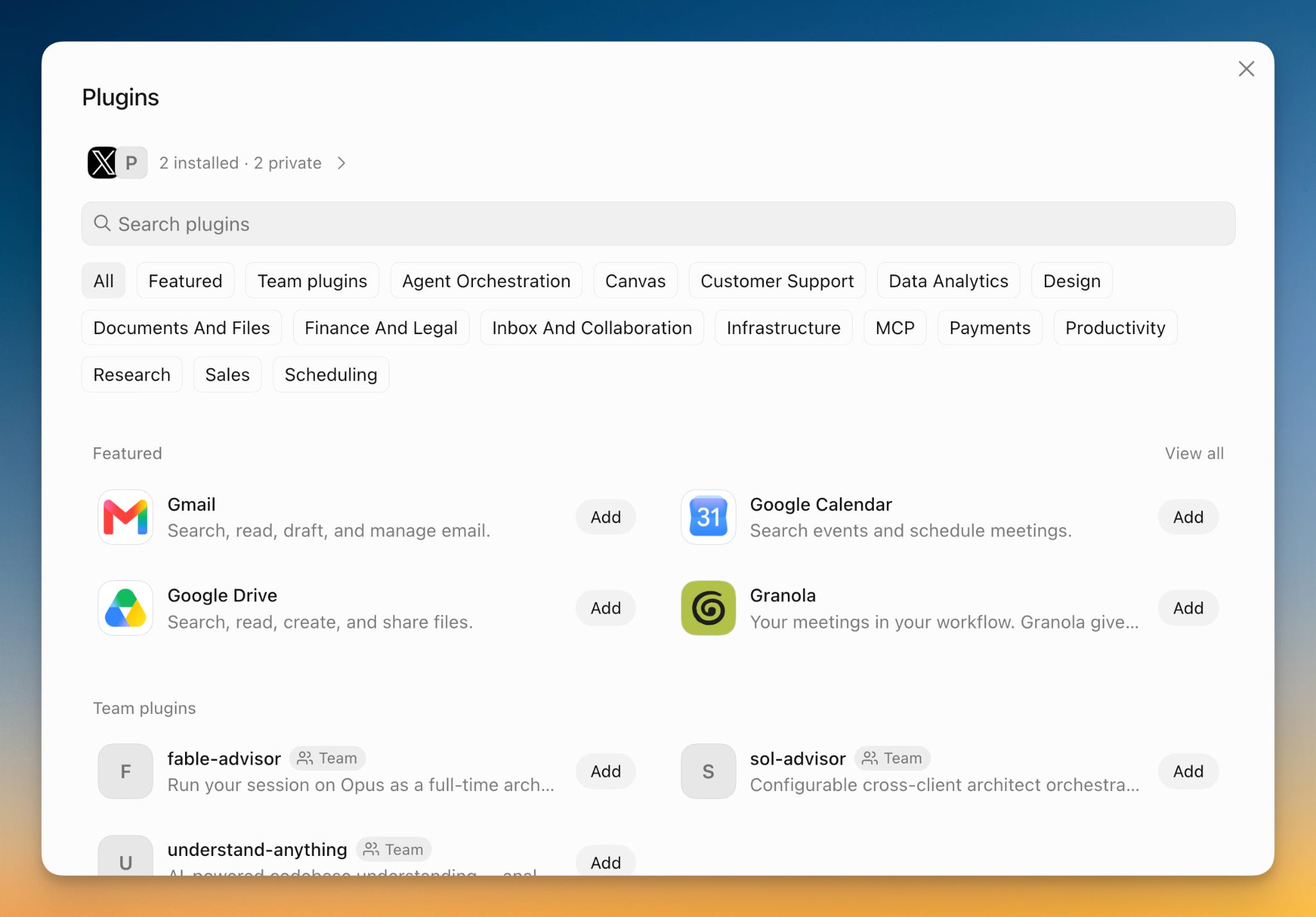
You open the plugin catalog in Grok Bot for the first time. You search for X, find the plugin, and click it. A login screen opens in your local browser. You sign in, and you’re connected.
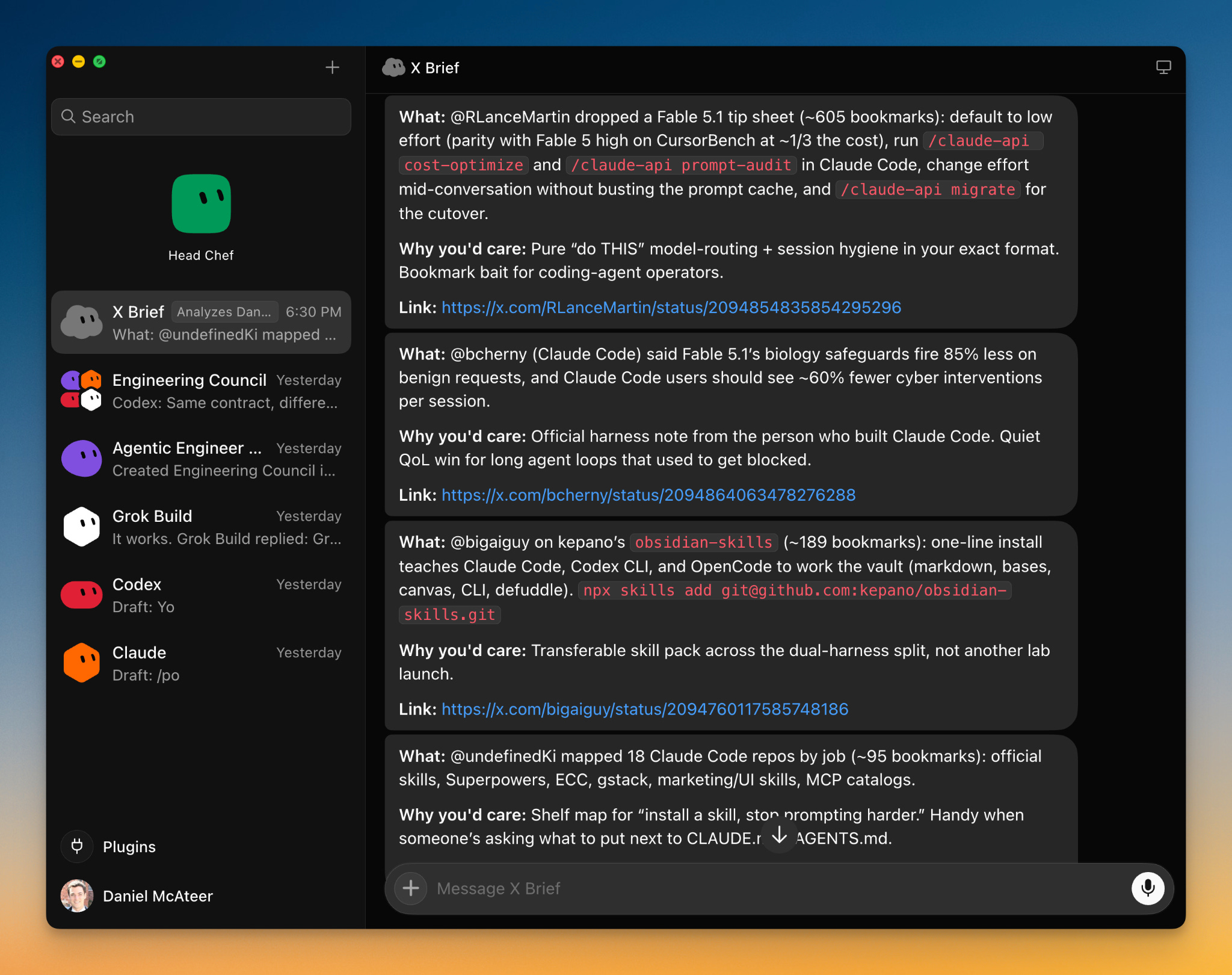
You don’t need to get into the code of the system. You don’t need to install an MCP server JSON or paste API credentials. You log in the way you do to any website or app, and Grok Bot is ready. I asked it to review my X posts and the things I’m interested in, then give me a daily brief of news and stories that are relevant to me.
I also connected it to Freshdesk through my work account and set up a support bot that checks every fifteen minutes for newly opened support tickets. All it needed to replicate a real workflow, one that I spent my time and attention on, was for me to log in through the browser.
That ease of setup is what’s really new here. Grok Bot turns agent configuration into a couple of clicks and a sign-in.
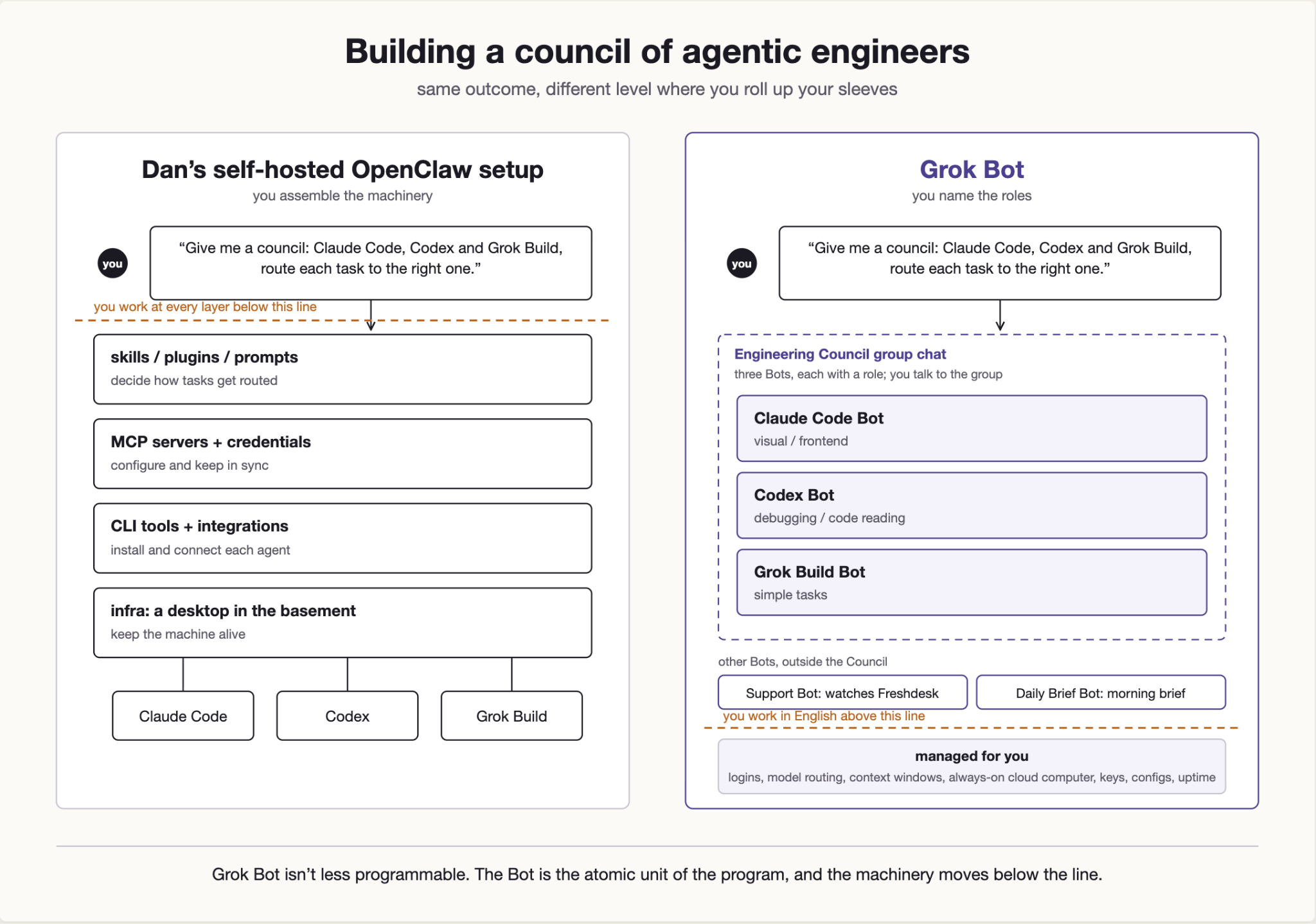
Grok Bot feels like unboxing a new MacBook. You open it, turn it on, and have everything you need to get to work. Systems like OpenClaw feel like Linux: they give you more optionality and more freedom to customize the system around what you want to do, but that flexibility comes with more complexity and more setup overhead.
OpenClaw 2.0, released this week, narrows that gap substantially. Its Quick Start can reuse an existing Claude Code or Codex login, and its browser app moves much of setup, plugin management and automation into a graphical or conversational interface. But the underlying distinction remains: OpenClaw gives you a user-owned Gateway that you choose how and where to run, while Grok Bot supplies and operates the computer as part of the product. Put another way, Grok Bot is a managed agent computer and OpenClaw is a user-owned agent platform.
The Bot is the atomic unit
But the Mac vs. Linux analogy only takes you so far.
Grok Bot isn’t less programmable than OpenClaw, but it is programmable at a different level of abstraction. With OpenClaw, customization means getting closer to the code, configuration, tools, skills, plugins and infrastructure. In Grok Bot, the Bot itself becomes the atomic unit of the program. You give Bots specialized roles, connect them to different tools, and compose them into a larger system that Grok Bot calls a “group chat.”
Programming has moved towards higher levels of abstraction since its advent. We moved from machine code and punch cards, to assembly, to what we consider today to be lower-level languages like C, and then to higher-level languages like Python. At each step in the evolution, programmers could express more of their intent while delegating more of the details. Grok Bot extends the trajectory of that evolution another step: the interface is English and the thing being programmed is no longer a function or service, but a “Bot”.
The value of moving up to a higher level of abstraction is that it makes the power of programming computers accessible to people who may never write code, but who can clearly articulate what they want in relatively precise English. The required skill shifts away from syntax and implementation and toward specifying intent precisely.
Yesterday I created a Claude Bot that installed and signed into the Claude Code CLI inside Grok Bot’s virtual computer. That made me wonder how far this model could go. I could connect Codex and other agent CLIs, then assemble them into a council of agentic engineers inside Grok Bot. OpenClaw can support similar configurations, and OpenClaw 2 now ships a native Codex runtime and supported routes for other coding-agent harnesses, so this is no longer something you have to wire by hand. The difference is in how the pieces are presented. Grok Bot presents agents as first-class, human-readable building blocks, while OpenClaw leaves more of the machinery exposed.
This is my initial impression of the key differences of Grok Bot compared to other agent platforms. I used it with a Cursor Pro+ account for about the last five days.
The Grok Bot harbor tour
Personification is, for me, one of the key differentiators of Grok Bot and one of the things that make it such a delight to use. Each Bot can have its own name, role, identity and description. It’s a nice human garnish on the whole dish that is Grok Bot, but it’s also more than just garnish. It helps create cognitive distinctions within the system that make it easier to organize your work.
My Agentic Engineer Bot is what this looks like in practice. Rather than tying it to a single model or tool, I gave it access to several agentic engineering systems and defined guidelines for routing to the right one for a given task. My routing rules point visual, design, and frontend work toward Claude Code, debugging and careful code reading toward Codex, and simpler tasks to the Grok Build CLI.
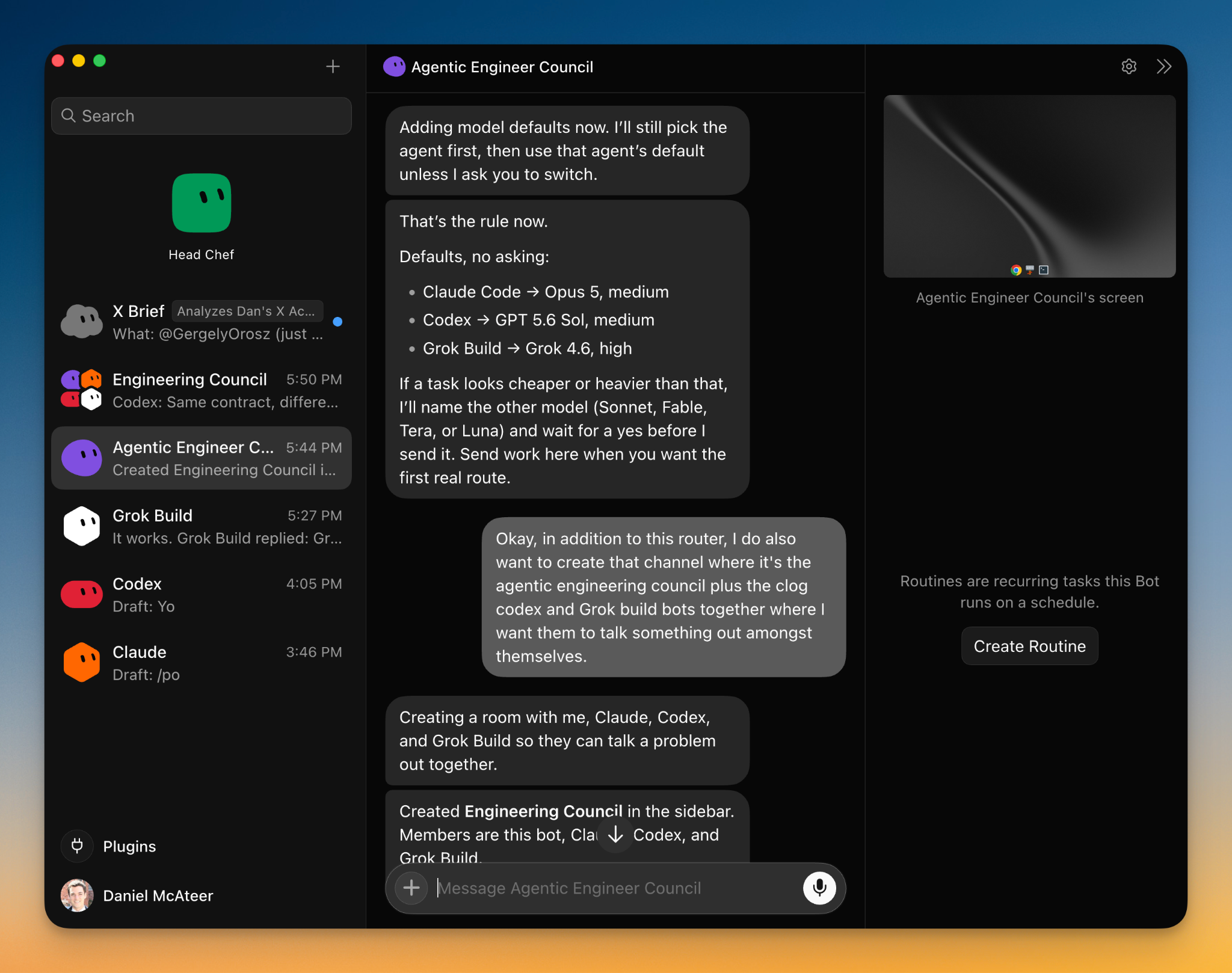
When something related to coding comes up anywhere in my Grok Bot ecosystem, I don’t have to stop and decide which CLI to send it to. I delegate it to the Agentic Engineer, which selects a tool based on the job and the guidelines I’ve given it. The personified role gives me a mental model to work with. I think about who should lead the work, based on what skills I know they have, in the same way I do working with a team of humans.
What feels human about Grok Bot is less its tone (it still sounds like an LLM) and more the continuity and simplicity of the interaction. When I use Claude Code or Codex, I still think about context-window management a lot: how much context is left, when the conversation needs compaction, and when I should start a new thread. Those concerns may still exist inside Grok Bot, but they’re not presented as part of the interface. I can focus at the level of the natural language conversation with the bot rather than managing the underlying machinery and limitations of LLMs.
One of Grok Bot’s most useful connector features is support for multiple accounts from the same service. I connected both my personal and work Google Calendar accounts. As a busy person with a day job and two young kids, my day doesn’t sort neatly into work and personal calendar events. Grok Bot gives me a single view of the whole day instead of making me have to visit two different interfaces to see what I have planned. One qualification is worth stating plainly: every Bot I create shares the same computer, files, browser sessions and logins. Separate Bots are organizational boundaries, not security boundaries.
Which points to another subtle UX decision about Grok Bot that I really like: the system is designed around the individual using it, rather than the individual needing to conform to the system.
Everything in Grok Bot is designed to allow you to connect to your digital life in the tools and contexts where you already live, rather than having to relearn a whole new ecosystem. I’ve had a Gmail account for 20 years, maybe more, and the fact that Grok Bot can connect to that context in a couple of easy clicks makes it a delight.
The virtual browser also expands Grok Bot beyond its plugin catalog. Freshdesk was not a native connector I installed. I opened it in the virtual browser, transferred my login from 1Password on my local machine, and authenticated there. Once that session existed, the support Bot could check Freshdesk every fifteen minutes and make sure I wasn’t missing new tickets. In effect, an ordinary website became an automatable browser workflow, and then a recurring one. It is worth noting that this is not an integration in the connector or API sense: xAI itself warns that browser workflows can run into changed interfaces, expired sessions and CAPTCHAs, and recommends using a connector where one exists. This is the sort of integration that would have taken weeks to build in the world before agents.
Also, one of the great things about the virtual browser is that it’s running on a persistent computer in the cloud.
Grok Bot’s always-on computer

Giving an agent its own computer is not a new idea. I run OpenClaw on a desktop in my basement, so it also has a persistent machine. The difference is that I am responsible for keeping that machine alive. When the power goes out in my house, which it often does with summer thunderstorms, the desktop shuts down and OpenClaw stays offline until I am physically there to boot it again. OpenClaw can run in the cloud too, and OpenClaw 2.0 even offers a one-click managed deployment through Hostinger. But unless I choose a managed option like that, I am still responsible for selecting and operating the host, keeping it updated, and keeping it available.
Grok Bot turns my home lab arrangement into a managed product. Its computer is hosted and maintained for me, so I don’t have to manage the hardware, power, remote access, or recovery. The advantage is not merely that the agent has a computer; my OpenClaw has a computer too. It’s that I don’t have to operate and maintain the computer it depends on.
That managed persistence also shows up in how seamlessly I can move between my devices. I can interact with Grok Bot on my MacBook, pick the conversation back up on my iPhone, and find the same work waiting for me like I never left. I don’t have to establish a remote connection or reconstruct the Bot’s environment when I switch devices.
A computer that never turns off has its downsides too. State accumulates, and sometimes you want a clean slate. Grok Bot gives you two levers for this. Update rebuilds the computer while preserving its durable state, and Reset returns it to its last synced durable state, which can mean losing any recent work that has not yet synced.
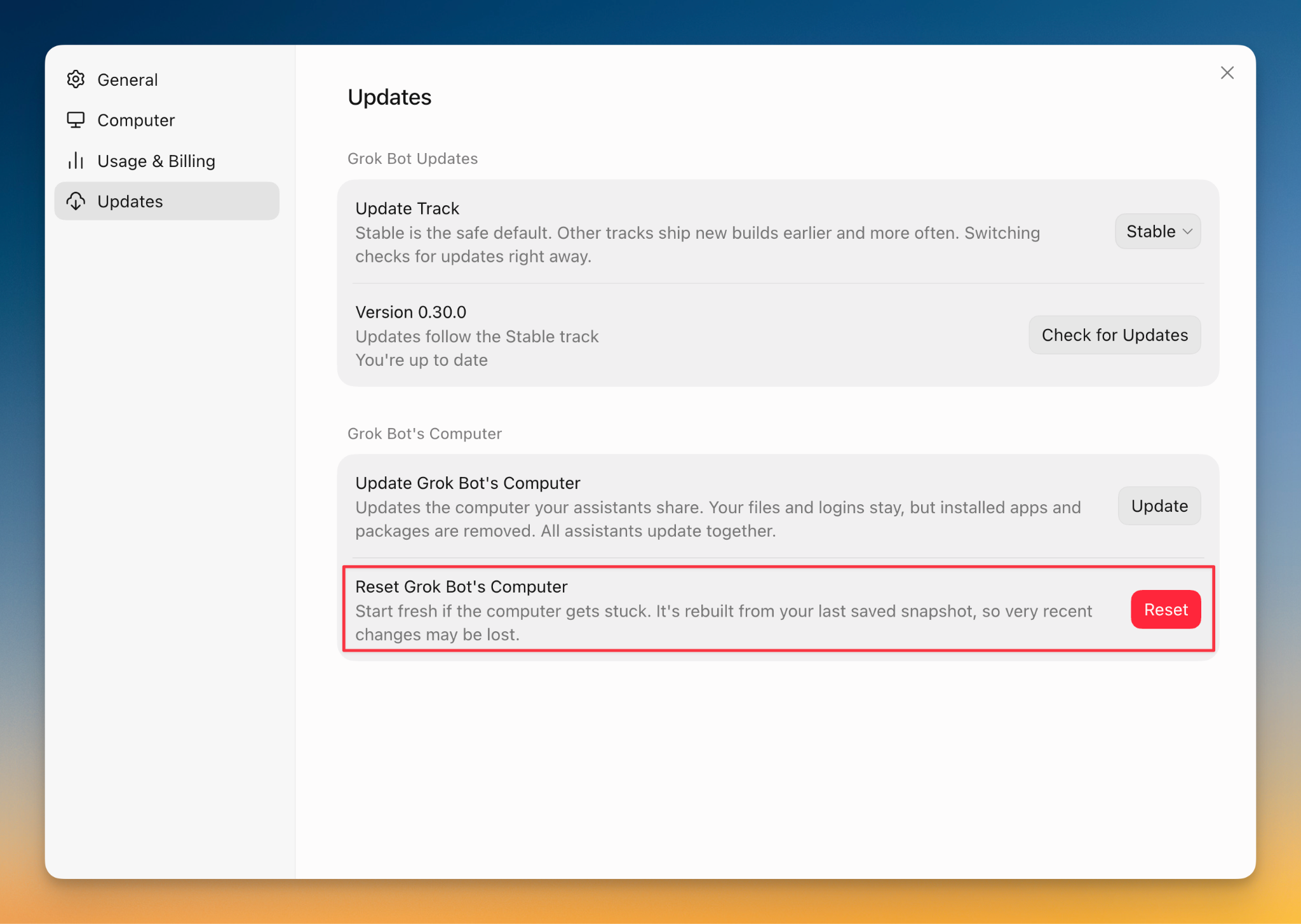
But every benefit with regards to convenience also comes with a cost and tradeoffs.
Tradeoffs: control versus cognitive load
Whether Grok Bot’s abstractions and conveniences are helpful depends on the task. If I am doing deep implementation work — like building something new, reasoning through code, or examining the logic of a program — then removing the machinery from view does not necessarily help. Given that kind of use case, getting into the technical details is the work.
Grok Bot shines more clearly in the work around software engineering: product management, design, selling a product, and communicating internally. In those cases, I care more about defining the outcome and delegating the work than watching every implementation decision, as long as I can clearly validate the results when the work is done. The same abstraction that can feel limiting during deep technical work becomes liberating when the underlying machinery is not the thing I need to focus on.
The lack of a model picker is convenient until the task does not require frontier-level intelligence. Sometimes I would rather deliberately choose a smaller, faster model for simple work and reserve the strongest model for tasks that need deeper reasoning. I personally enjoy the idea of being efficient with resources, even when I’m not paying extra for it. Grok Bot makes routing decisions behind the scenes, so I can’t see or control them. The same design that removes one more configuration choice also removes a useful way to balance capability, speed, and usage. Grok Bot doesn’t give me that lever to pull.
That lack of control extends beyond model selection. In tools like Claude Code or Codex, I can start a fresh thread, compact a conversation, manage how much context I carry forward, and make deliberate choices about how I use my allowance. Those levers create additional cognitive overhead, but they also give me ways to control context and usage. Grok Bot hides those decisions from me. The experience is simpler, but I have fewer ways to influence how quickly I consume my available capacity. There’s also the added risk of losing mental presence when working on a task, because there’s not as much required of me to get the job done.
Also, personification clarifies task boundaries at one level while blurring them at another. Giving each Bot a job and a role helps me keep broad categories of work separate: support belongs to the Support Bot, while coding belongs to the Agentic Engineer. But within a single Bot, unrelated tasks continue through the same ongoing conversation. Over time, it can become harder to tell which assumptions, instructions, and context still belong to the task at hand. The Bot itself is a clear boundary; the individual tasks inside it are not.
My Verdict
It’s coming up on a week with Grok Bot at the time of this writing. I’m using it every day, but it’s not my main agent interface at work or outside of work. I have found it quite useful in the areas around the technical aspects of my work and personal projects. Things like administration, summarizing, searching for news, project management and task management. All the shallow work that can tend to get in the way of deeper technical work.
If you’re an engineer, I think Grok Bot can be useful to you as a sort of “digital chief of staff” that doesn’t require any training or much set-up to be effective on the job. But I also doubt that Grok Bot will be authoring the majority of your pull requests any time soon.
